From SVG to Stitch: Evaluating the Apple Teacher Design for Embroidery
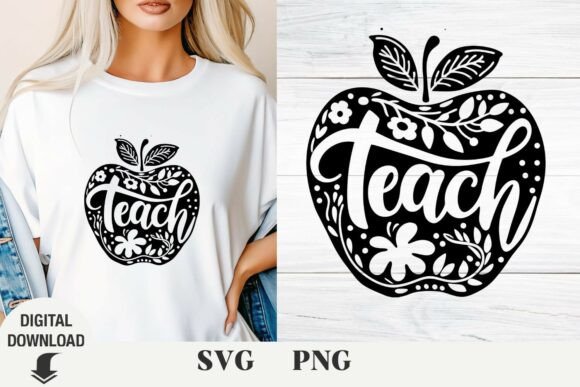
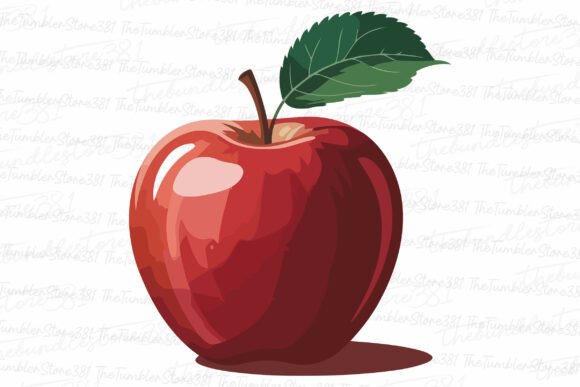
When I first look at the Apple Teacher Svg file, my designer brain doesn’t see a digital download—it sees a finished, stitched project. I imagine it on a canvas tote bag or a cozy sweatshirt. The concept is immediately clear: a classic apple with a simple “Teacher” line. It’s a warm, appreciative, and timeless motif. The mood it creates is straightforward and sincere, perfect for gifts or merchandise that need to feel personal and recognizable without being overly fussy. The shape is clean, the layout is balanced, and the detail level is moderate. This isn’t an intricate illustration; it’s a graphic with a friendly personality that translates well into thread.
Where This Design Finds Its Best Home
In real-life embroidery situations, this design shines on certain surfaces. Imagine you’re preparing a custom embroidered tote bag for a teacher appreciation gift. The Apple Teacher Svg would be a fantastic choice. It’s substantial enough to be a central feature but not so large that it overwhelms the bag’s surface. On a sweatshirt, positioned over the left chest, it becomes a subtle, heartfelt statement. For baby clothes, perhaps a little onesie for a teacher’s new baby, the scale would need careful adjustment, but the theme is wonderfully sweet.
It’s equally strong as an embroidered patch, which could then be applied to an apron, a cap, or a pillow cover. For small business merchandise, like a line of tea towels or kitchen items for a boutique, this design adds a professional, handmade touch that customers connect with instantly. In my experience, these kinds of clear, thematic graphics perform very well at craft fairs and in Etsy listings because their purpose is immediately understood. They’re giftable. They look professional when stitched with care. They help build customer trust because the product feels intentional and well-made.
Considerations for Stitching Success
However, the transition from SVG to stitch requires some practical thinking. Where should this design be used carefully? The inclusion of lettering—“Teacher”—means you need to pay close attention to stitch clarity on textured fabrics. On a thin, stretchy fabric like a t-shirt, a dense fill stitch in the apple might cause puckering unless you use the proper stabilizer. For dark fabric backgrounds, your thread color contrast becomes critical; a classic red apple on a black sweatshirt will pop, but you’ll want to test the saturation.
On curved surfaces like caps, the design’s simple shape is actually an advantage, but you must confirm your hoop size can accommodate it comfortably. The tiny lettering is the area I’d inspect most closely in a test stitch. You want “Teacher” to be readable and clean, not blurred by too many tight stitches or lost in the texture of the fabric. For products that need frequent washing, like baby blankets or aprons, a robust satin stitch or a well-executed applique approach would ensure longevity.
The Impact on Your Project’s Appeal and Value
How does this design affect your finished product’s value? A well-embroidered Apple Teacher motif elevates a simple item. It turns a plain tote into a personalized gift. It transforms a basic sweatshirt into boutique-level merchandise. For creative entrepreneurs, this consistency—using a clean, recognizable design across a product line—helps with brand cohesion. The visual appeal is in its simplicity and positive association. Customers engage with it because it’s uncomplicated and emotive. In holiday gifts or wedding gifts for educators, it’s a guaranteed hit.
From a commercial embroidery standpoint, whether you’re running a small shop or taking on client projects, this kind of graphics file is a reliable asset. It’s quick to stitch, universally understood, and adaptable. It saves you design time and provides a solid foundation for a profitable finished product.
A Designer’s Practical Notes Before You Hoop
Before you run this Apple Teacher Svg through your software and load it onto your machine, here are my standard, real-world checks. Always test the embroidery file on scrap fabric first, ideally the same type you plan to use for the final project. Review the stitch density in your software preview; is the apple fill too dense for a lightweight cotton? Check thread color contrast by mocking it up in both light and dark backgrounds. Confirm the hoop size needed and whether it fits your target item, like a cap frame or a smaller hoop for delicate work.
Inspect those small details in the test stitch. Does the “Teacher” text maintain its clarity? Use proper stabilizer for the fabric choice—this is non-negotiable for professional results. I also recommend testing the design in simple black and white mockups for your online listings or printable mockups; this helps visualize the final product without stitching every variant. Crucially, check the licensing terms provided with the file before selling finished items or digital products. Ensure it’s cleared for commercial use if that’s your intent. The product description mentions it’s for your handmade business product lines, which suggests commercial applicability, but always verify the specifics.
Finally, think about the fabric texture. A smooth cotton tote will showcase the stitches beautifully. A textured sweater might add a charming, rustic feel. This Apple Teacher Svg, as a graphics file, is a versatile starting point. Its real value is unlocked by your skill as an embroidery designer—your choice of thread colors, your attention to stitch type, and your selection of the perfect product to bring this appreciative, classic idea into the tactile, thread-and-fabric world.